
The hard part of running a community is not the software — it's giving people a reason to come back on a day when no training is due. The community layer in Academy OS is built as connective tissue: it sits inside the academy, next to the courses, and it works whether you run it open to the world or members-only.
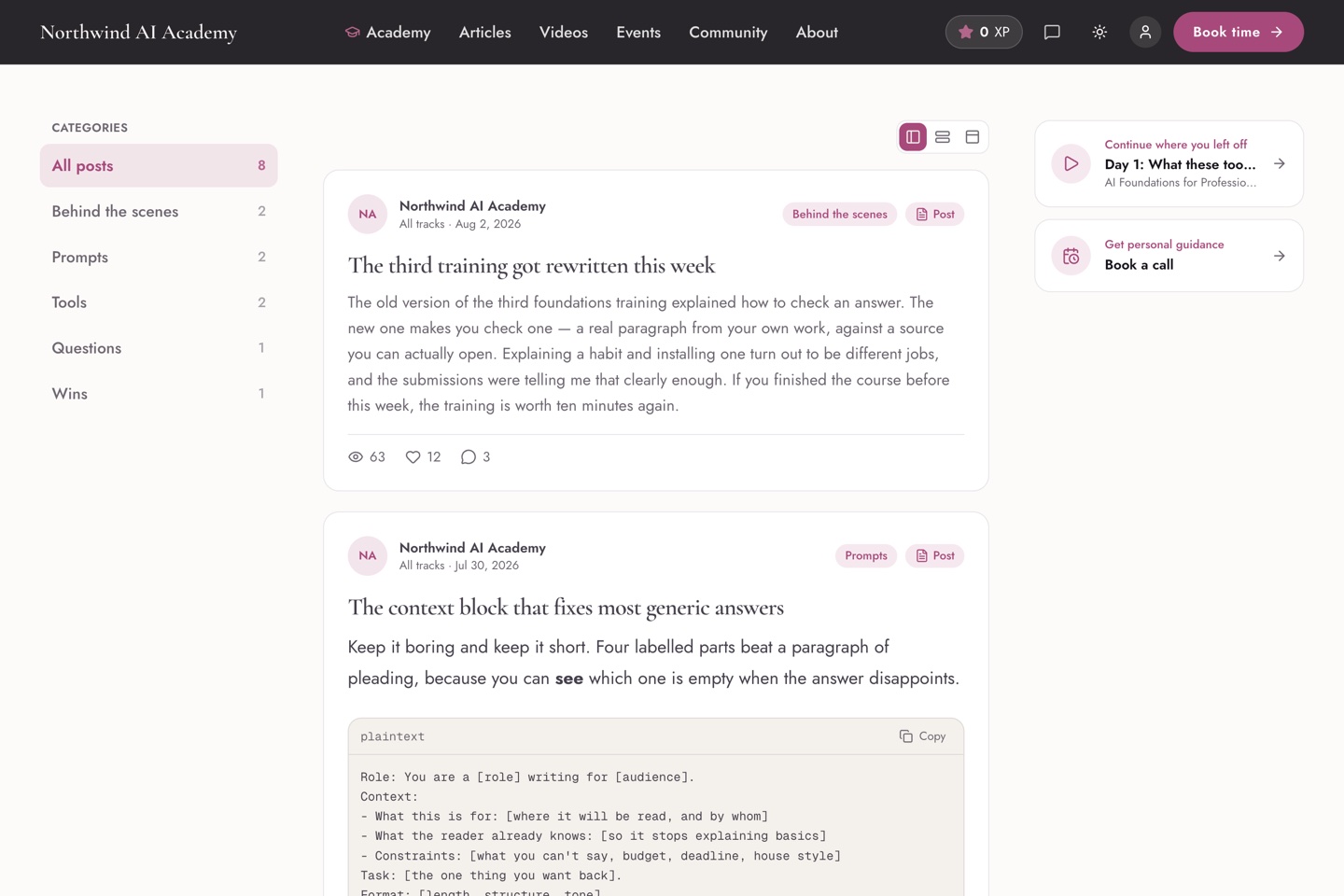
Public or members-only — your call
By default the community is a member surface. Flip one setting and it becomes public: visitors read the real feed with no account, which turns your community into a shop window — this academy runs its feed public for exactly that reason. Either way it lives at your domain, under your brand, in your database.
Posts that carry more than text
Posts take video, audio, images and file attachments, organized into categories your members can filter. You can target a post at everyone or at the students of specific courses — so a cohort announcement never leaks to the whole academy.
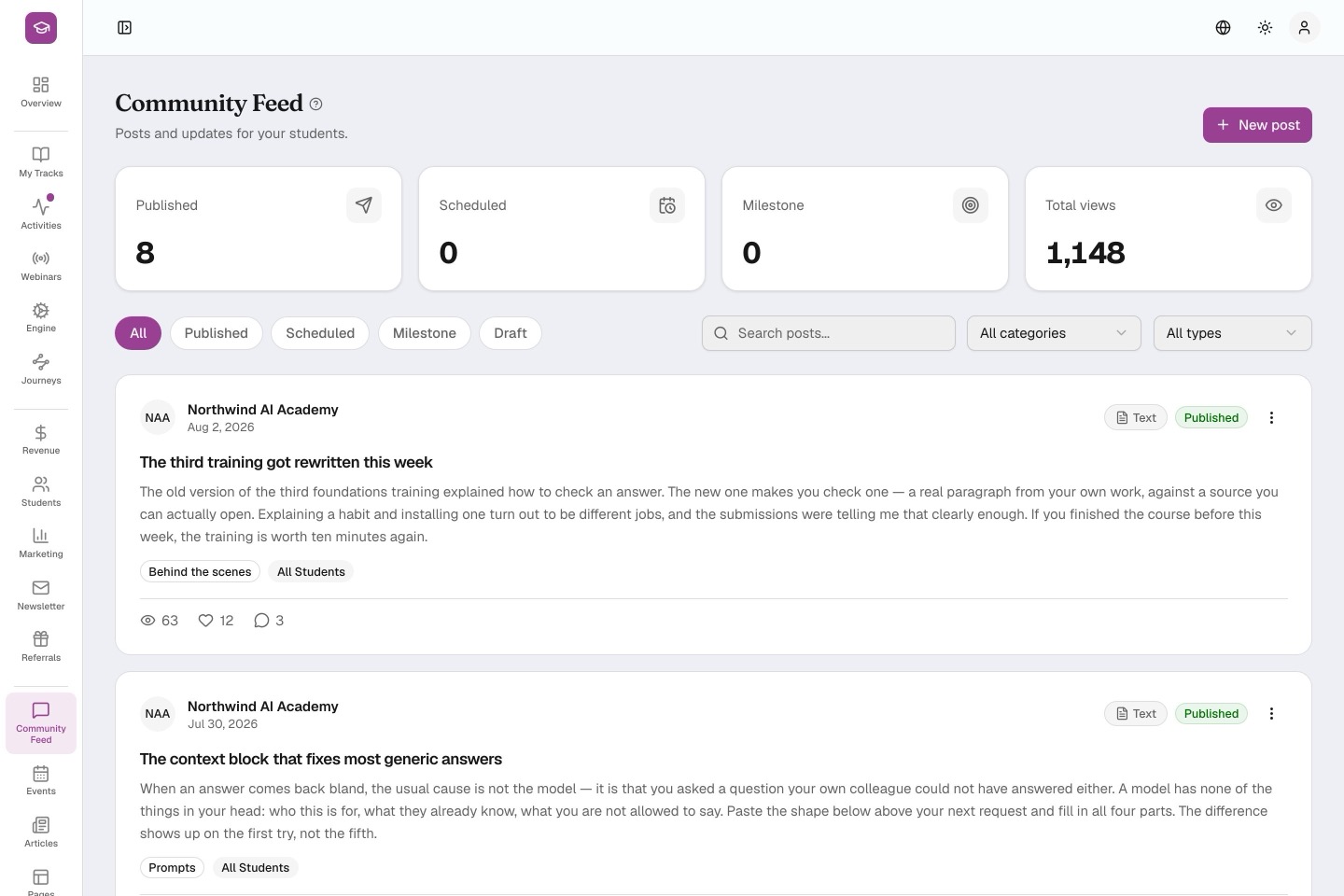
Posts that publish themselves
Two publishing modes do quiet work for you. Scheduled posts go out at the date and time you set. Milestone posts publish when a student earns them — a congratulations that appears when someone completes a module, without you watching for it. Between them, the feed stays alive on weeks you're heads-down.
Members bring members
If you switch the referral program on, every student gets a personal invite link, and you decide what both sides earn when a friend joins — XP, a badge, unlocked content, a welcome email. Recruitment becomes something the community does, not something you do to it.
A community is what makes your academy a place rather than a playlist.